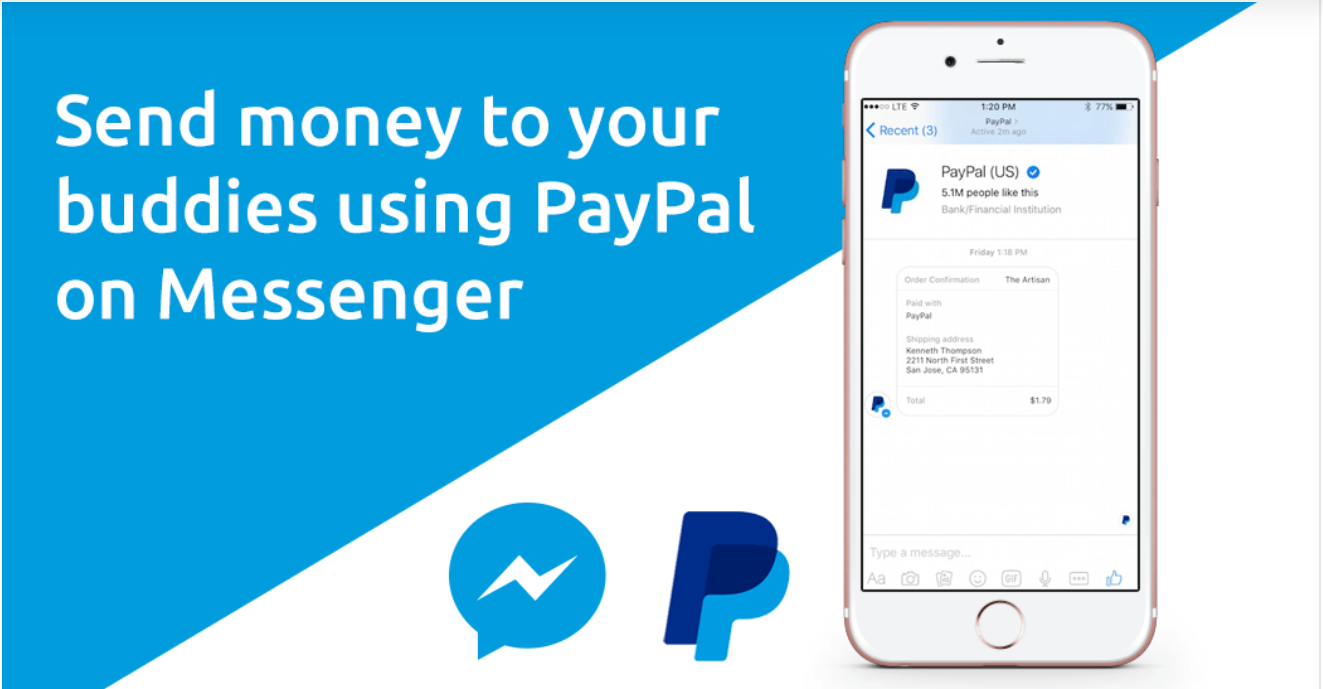
Most people think of Facebook Messenger as a tool for chatting, sharing photos, or planning events. But Messenger can also be used to send and receive money between friends without downloading a separate payment app.
If you already use Messenger regularly, this feature can be a simple way to handle everyday payments like splitting a dinner bill or paying someone back for concert tickets.
How Facebook Messenger Payments Work
Messenger payments are built directly into Facebook and Messenger. You can use them on a computer or through the Messenger app on your phone.
Sending and receiving money is free. Facebook does not charge a fee for payments.
One big advantage is convenience. Because payments happen inside a chat, it’s easy to send money while you’re already talking. This works especially well in group conversations.
Example:
You and four friends plan a weekend trip. One person books the Airbnb. Instead of using multiple apps, everyone can send their share directly in the group Messenger chat.
Who Can Use Messenger Payments?
Before using this feature, a few conditions must be met:
-
You must have an active Facebook account
-
You must be at least 18 years old
-
You must live in the United States
-
Payments must be funded with:
-
A U.S.-issued Visa or Mastercard debit card, or
-
A PayPal account
-
Some prepaid cards may work, but they are not always accepted.
How to Send Money on Facebook Messenger
Sending money through Messenger is similar to sending a message.
Here’s how it works:
-
Open a private chat with the person you want to pay
-
Tap the “+” icon to see more options
-
Select the “$” symbol
-
Enter the amount you want to send
-
Tap “Pay” to complete the transfer
If it’s your first time sending money, Messenger will guide you through adding a payment method before the payment goes through.
Setting Up Your First Payment
To send or receive money, you’ll need to connect a debit card or PayPal account.
You’ll be asked to enter:
-
Card or PayPal details
-
Basic verification information
You can also create a PIN for payments. This adds an extra layer of protection so no one else can send money from your account if they access your phone or Facebook profile.
On some devices, you can also enable fingerprint or face recognition.
Important reminder:
If you use a debit card, the money usually comes out of your checking account almost immediately. Make sure you have enough funds available to avoid overdraft fees or declined payments.
How Receiving Money Works
When someone sends you money on Messenger, it goes to your linked debit card or PayPal account automatically.
That said, even though Facebook sends the money right away, it can take up to three business days for the funds to appear in your bank account.
If you haven’t linked a payment method yet, Facebook will ask you to add one before you can accept the money. Once that’s done, future payments will be sent there by default.
Need the Money Faster?
If you need instant access to funds, Messenger may not always be the best choice.
Services like Zelle transfer money directly between bank accounts and often make funds available within minutes. Many U.S. banks already include Zelle inside their mobile banking apps.
For urgent payments like rent or last-minute bills Zelle may be a better option.
Is Facebook Messenger Safe for Sending Money?
Facebook says it uses encryption and fraud-prevention technology to protect payment information. Still, anytime money is involved, it’s smart to be cautious.
Watch Out for Scams
Messenger payments usually cannot be canceled once sent. If you make a mistake, the recipient would need to reject the payment voluntarily.
Also, Facebook offers limited protection if you’re buying goods or services. Because of that, you should treat Messenger payments like cash.
Best practice:
Only send money to people you personally know and trust. Be especially careful with accounts that look suspicious or recently created.
Protecting Your Account
To reduce risk:
-
Set up a payment PIN or biometric security
-
Use strong, unique passwords
-
Be cautious of messages asking for money unexpectedly
If you ever receive a message asking for payment that feels “off,” pause and confirm the person’s identity before sending anything.
What About Privacy?
When you send money on Messenger:
-
The recipient sees your name, profile photo, and payment amount
-
Transaction data is stored on Facebook’s systems
In group payments, everyone in the group can see payment details. If that makes you uncomfortable, it’s better to send money in a private chat.
Monitor Your Accounts Regularly
Don’t just rely on Facebook. Keep an eye on:
-
Your checking account
-
Your debit card transactions
-
Your PayPal activity
Setting up bank alerts can help you spot unauthorized charges quickly. If you see something you don’t recognize, contact your bank right away.
Frequently Asked Questions
How much money can I send on Facebook Messenger?
Facebook does not clearly publish payment limits. In general, you can send money as long as your linked account has enough funds.
Why won’t my payment go through?
Common reasons include:
-
Issues with your or the recipient’s bank or PayPal account
-
The recipient rejecting the payment
-
Trying to send money to someone outside the U.S.
Does Facebook charge fees for Messenger payments?
No. Facebook does not charge users to send or receive money. However, your bank may apply fees in certain situations.