Knowing how much money you have in your bank account is one of the basics of managing your finances. It helps you avoid overspending, catch mistakes early, and protect yourself from fraud. Thankfully, checking your bank balance today is easier than ever and you don’t need to visit a branch to do it.
Whether you want a quick snapshot of how much you can spend right now or a better understanding of your account activity, staying on top of your balance puts you in control of your money.
Before diving in, it’s important to understand one key concept: your total balance is not always the same as your available balance. We’ll explain that shortly.
6 Simple Ways to Check Your Bank Account Balance
1. Sign In to Online Banking
Most banks allow you to check your balance through their website 24/7. All you need is an internet connection and your login details.
Go to your bank’s official website and look for buttons like “Log In”, “Sign In”, or “Online Banking.” If it’s your first time, you’ll usually need to register and set up a username and password.
Once logged in, you’ll see your account summary, including balances, recent transactions, and pending payments.
Why it’s helpful:
Online banking doesn’t just show your balance you can also pay bills, transfer money, and review past transactions without writing checks or visiting a branch.
2. Use Your Bank’s Mobile App or Text Alerts
If you prefer checking your balance on the go, your bank’s mobile app is one of the easiest options. Most major U.S. banks offer free apps for smartphones and tablets.
With a mobile app, you can:
-
View balances in seconds
-
Track spending
-
Deposit checks using your phone’s camera
-
Transfer money between accounts
For the fastest option, many banks also offer text message balance updates. After setting this up, you can send a short text and receive your balance instantly no login required.
Real-life example:
If you’re at a store and unsure whether you have enough money for a purchase, a quick app check or text can save you from an overdraft.
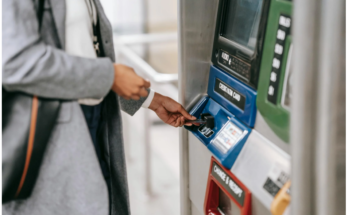
3. Check Your Balance at an ATM
ATMs don’t just dispense cash they can also show your current balance.
Insert your debit card, enter your PIN, and select the balance inquiry option. For best results, use an ATM owned by your bank or within its network. Using out-of-network ATMs may come with fees, even if you’re only checking your balance.
Tip:
Balance inquiry fees can add up, so this method is best used sparingly.
4. Call Your Bank’s Automated Phone System
If you’re not comfortable with online tools, you can still check your balance by phone. Most banks offer automated systems available day and night.
You’ll usually need:
-
Your account number or debit card number
-
A phone PIN or security code
Once set up, you can quickly hear your balance and recent transactions.
5. Set Up Account Alerts
Instead of checking your balance every day, you can let your bank notify you automatically.
Alerts can be sent by email or text when:
-
Your balance drops below a certain amount
-
A large purchase is made
-
A withdrawal or deposit posts
These alerts act like a safety net, helping you catch problems early without constant monitoring.
Important reminder:
Alerts are helpful, but they don’t replace regular account reviews. Federal protections often require you to report errors or fraud quickly, so it’s still smart to log in occasionally.
6. Visit a Bank Teller
If you bank with a traditional branch, you can always speak with a teller in person. While this option is becoming less common and sometimes comes with service fees it can be useful if you have questions or need help understanding your account.
Credit unions may offer more flexibility, especially those that participate in shared branching networks across the U.S.
That said, learning at least one self-service method will save you time and give you more freedom.
Understanding Your Available Balance vs. Total Balance
When checking your account, you’ll usually see two numbers:
-
Total balance: The full amount of money in your account
-
Available balance: The amount you can spend right now
Your available balance is often lower because it subtracts:
-
Pending debit card purchases
-
Scheduled bill payments
-
Deposits that haven’t fully cleared
Example:
You deposit a check for $500, but your bank hasn’t processed it yet. Your total balance increases, but your available balance may stay the same for a few days.
Always rely on your available balance when deciding how much you can safely spend.
Why You Might Know Your Balance Better Than Your Bank
If you track your spending regularly either in a notebook, spreadsheet, or budgeting app you may actually know your true balance before your bank updates it.
For example, if you wrote a check or made a purchase that hasn’t posted yet, your personal records will reflect that transaction even if your bank doesn’t show it yet. That’s why combining personal tracking with balance checks is a smart habit.
Frequently Asked Questions
What’s the easiest way to monitor my checking account balance?
Using a mobile banking app along with balance alerts is the simplest approach. You’ll have instant access to your money and receive warnings before problems arise.
Which banks are best if I keep a low balance?
Look for banks or credit unions that don’t require minimum balances and don’t charge monthly maintenance fees. These accounts reduce the risk of overdrafts and surprise charges.
Can I close a bank account with a negative balance?
No. If your account is overdrawn, you’ll need to bring the balance back to zero first. Banks typically won’t close accounts that still owe money.