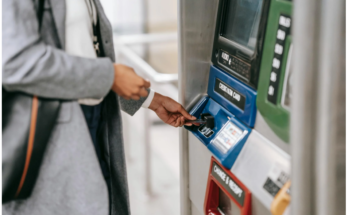
Opening a bank account is one of the first steps toward managing your money safely and efficiently. Whether you’re starting your first job, saving for a goal, or just tired of carrying cash, a bank account makes everyday finances much easier.
If you’ve never opened an account before, don’t worry. The process is usually quick, straightforward, and beginner-friendly once you know what to expect.
What You’ll Need to Open a Bank Account
Banks are required by law to verify who you are before letting you open an account. That means you’ll need to provide a few basic details.
Most banks will ask for:
-
A government-issued photo ID
This could be a driver’s license, passport, or military ID. -
An identification number
For U.S. citizens, this is usually a Social Security number. Non-citizens may use an ITIN or another government-issued number. -
Proof of address
This can include a utility bill, lease agreement, or official mail showing your physical address. -
An opening deposit (sometimes)
Some accounts require you to put money in right away often between $25 and $100 while others let you open an account with $0.
If you don’t have a standard ID, some banks may accept alternatives, but policies vary. It’s always smart to ask ahead of time.
You’ll need this information whether you apply online or walk into a branch.
Choosing the Right Bank for You
Not all banks are the same, and the “best” one depends on how you plan to use your account.
Traditional Banks
These include large national banks and smaller community banks. They usually offer a full range of services like checking and savings accounts, loans, credit cards, and in-person customer support.
Credit Unions
Credit unions are member-owned and not-for-profit. They often offer lower fees and better interest rates, but you may need to meet certain membership requirements to join.
Online Banks
Online-only banks don’t have physical branches, which helps them keep costs low. Many offer no monthly fees and higher interest rates on savings. They’re a great option if you’re comfortable using mobile apps and online tools.
Real-life example:
Many people keep a checking account at a local bank for easy cash access and a savings account at an online bank to earn higher interest.
Picking the Right Type of Account
Before opening an account, think about what you’ll use it for.
-
Checking accounts
Best for daily spending, paying bills, and receiving paychecks. -
Savings accounts
Designed for storing money you don’t need right away while earning interest. -
Money market accounts
Similar to savings accounts but may offer higher interest and limited check-writing or debit access. -
Certificates of Deposit (CDs)
These require you to leave your money untouched for a set period (like 6 months or 1 year) in exchange for higher interest.
Within each category, banks may offer multiple versions with different fees, minimum balances, and features. Always read the account details carefully.
Tip: If you’re just starting out, look for an account with no monthly fees and no minimum balance requirement.
Is Your Financial History Important?
You don’t need perfect credit to open a bank account. However, banks may review your past banking activity using a system called ChexSystems, which tracks issues like unpaid fees or closed accounts.
If you’ve been denied an account before, reviewing your ChexSystems report can help you understand why. Some banks also offer “second-chance” accounts designed for people rebuilding their banking history.
How to Open the Account
Once you’ve chosen a bank and account type, the actual process is pretty simple.
-
Fill out an application (online or in person)
-
Provide your documents
-
Review and agree to the account terms
Make sure you understand:
-
Monthly fees
-
Minimum balance requirements
-
Withdrawal limits
-
Overdraft policies
If you’re under 18, a parent or legal guardian will usually need to open the account with you.
Do You Need to Sign and Mail Anything?
Many banks allow you to open an account completely online using electronic signatures. However, some still require you to print, sign, and mail a form before the account becomes active.
Until the bank receives and processes those documents, you may not be able to use the account.
Adding Money to Your New Account
After your account is open, you’ll usually need to fund it. Common ways include:
-
Depositing cash (available quickly)
-
Depositing a check (may take a few days to clear)
-
Setting up direct deposit from your employer
-
Transferring money from another bank account
Getting Started With Your Account
Once everything is set up, your account should be ready within minutes or a few days. You’ll likely receive a debit card in the mail and may be able to order checks if needed.
To make managing your money easier, consider activating features like:
-
Online bill pay
-
Mobile check deposit
-
Account alerts for low balances or large transactions
These tools can help you avoid fees and stay in control of your finances.
Frequently Asked Questions
How much money do I need to open a bank account?
Many banks require an opening deposit between $25 and $100, but some accounts have no minimum at all. Always ask about minimum balances to avoid monthly fees.
How long does it take to open an account?
Applying usually takes 10–15 minutes online or slightly longer in person. Full access may take a few days while the bank verifies your information.
Is my money safe in a bank?
Yes as long as the bank is FDIC-insured (or NCUA-insured for credit unions). This protects your money up to $250,000 per depositor.
Please take a look at this as well:
Is PayPal Safe to Use? A Beginner-Friendly Guide