If you’ve ever needed to send money but didn’t want to mail cash or didn’t have a checking account you may have heard of a money order.
A money order is a paper payment that works a lot like a prepaid check. You pay for it upfront with cash or other guaranteed funds, and the person receiving it can deposit it into their bank account or cash it.
It’s often used when safety, privacy, or guaranteed payment matters.
A Quick History
Money orders were first introduced in 1864 by the United States Postal Service as a safer way to send money through the mail. Before that, mailing cash was risky if it was stolen, it was gone forever.
Today, money orders are still widely used across the U.S., especially by people who prefer not to use checks or digital payment apps.
How a Money Order Works
Think of a money order as a check that’s already been paid for.
Here’s how it works:
-
You go to a location that sells money orders.
-
You pay the amount you want to send, plus a small fee.
-
The seller prints the money order.
-
You fill in the recipient’s name and sign it.
-
You give or mail it to the person or business.
Because you pay in advance, the funds are guaranteed. Unlike personal checks, money orders don’t “bounce.”
Real-Life Example
Let’s say you’re renting an apartment, and your landlord doesn’t accept personal checks. You could buy a $900 money order, fill in your landlord’s name, and give it to them. They know the money is already secured.
Where Can You Buy a Money Order?
You don’t need a bank account to get one. Money orders are available at:
-
All locations of the United States Postal Service
-
Banks and credit unions
-
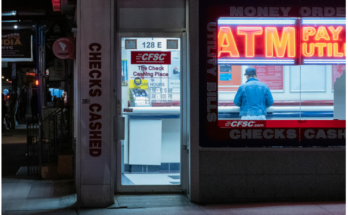
Check-cashing stores
-
Money transfer counters like Western Union and MoneyGram
-
Retail stores such as Walmart
Prices vary depending on where you buy them. Post offices and large retailers usually charge lower fees than banks.
How Much Does a Money Order Cost?
You’ll pay:
-
The full dollar amount you’re sending
-
A small service fee
For example, if you buy a $250 money order, you might pay about $1 to $5 in fees, depending on where you purchase it.
Most money orders have a maximum limit of $1,000 per order. If you need to send more, you’ll have to buy multiple money orders.
If you purchase more than $3,000 worth in one day, you’ll likely need to show valid ID.
Can You Buy a Money Order With a Credit Card?
Usually, no.
Most sellers do not accept credit cards. If they do, it’s often treated as a cash advance, which means:
-
You’ll likely pay a 3%–5% fee
-
Interest starts immediately
-
The interest rate may be higher than your normal card rate
That can make it an expensive option.
When Should You Use a Money Order?
Money orders make sense when:
-
You don’t have a bank account
-
A seller requires guaranteed funds
-
You want to avoid sharing your bank account number
-
You’re sending money internationally
-
You don’t want to mail cash
For example, some landlords, government agencies, or online sellers specifically request money orders.
How to Cash or Deposit a Money Order
If you receive a money order, you can:
-
Deposit it at your bank (like a check)
-
Cash it at the location where it was issued
-
In some cases, deposit it through mobile banking (not all banks allow this)
You’ll need a valid ID.
Important tip: Don’t sign the back until you’re in front of the cashier.
It’s usually easiest to cash it at the same company that issued it such as Western Union, MoneyGram, or the United States Postal Service.
What Happens If You Lose a Money Order?
Unlike cash, a lost money order can often be replaced but it’s not instant.
You’ll typically need:
-
The receipt
-
To complete a claim form
-
To pay a processing fee
The issuer will investigate before issuing a refund or replacement. This process can take several weeks.
Pros and Cons of Money Orders
Pros
1. Safer than cash
If lost or stolen, you may be able to cancel it.
2. No bank account required
Anyone can purchase one with cash.
3. More privacy
Unlike personal checks, money orders don’t show your bank account number.
4. Guaranteed payment
Because it’s prepaid, the recipient knows the funds are secure.
Cons
1. Not reversible once cashed
You cannot stop payment after it’s been used.
2. Scam risk
Fake money orders exist. Always verify large payments.
3. $1,000 limit per order
Not ideal for large transactions.
4. Slower than digital payments
You must buy it in person and often mail it.
5. Not accepted everywhere
Some financial institutions and companies do not accept money orders.
Money Order Alternatives
Depending on your situation, other options may be better.
Cashier’s Check
A cashier’s check is similar but issued only by banks and credit unions. It can be written for larger amounts and is often used for big purchases like a car or home deposit.
Wire Transfer
Wire transfers move money electronically between banks. They are fast and secure but typically cost $25–$40 per transfer.
Electronic Payments
Online bill pay, debit cards, and payment apps are faster and often free. However, they require a bank account or prepaid card and leave a digital trail.
Do You Really Need a Money Order?
In today’s world of apps and digital banking, money orders are less common but they’re still useful in certain situations.
They’re a practical choice if:
-
You prefer using cash
-
You don’t have a checking account
-
The recipient requires guaranteed paper payment
For everyday bill payments, digital options are usually faster and cheaper. But when safety and guaranteed funds matter, a money order can still be a reliable tool.
Please take a look at this as well:
How to Fill Out a Money Order (Step-by-Step Guide for Beginners)